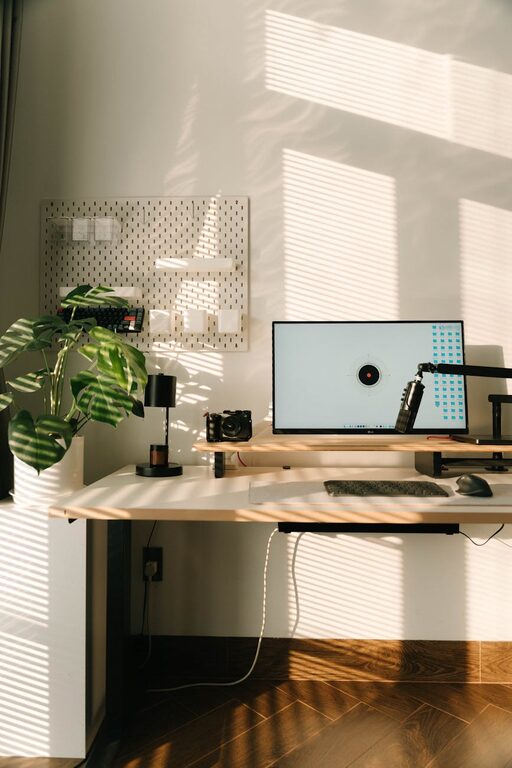
Creating a cozy and functional home workspace is essential for anyone working remotely or who needs a dedicated area to focus on tasks. A well-designed workspace enhances productivity, reduces stress, and makes long hours more enjoyable. Whether you have a small corner or a whole room available, these tips will help you create a space that feels comfortable and works for your needs.
Choose the Right Location
Selecting the best spot for your workspace is the first and most important step.
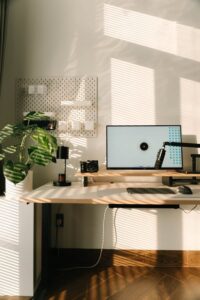
– Natural Light: Aim for a space near a window to benefit from natural light. It boosts mood and energy throughout the day.
– Quiet Area: Pick a location away from household noise and distractions.
– Space Considerations: Ensure there’s enough room for your desk, chair, and any equipment you require.
If space is limited, consider a compact desk or a foldable option which you can tuck away when not in use.
Invest in Ergonomic Furniture
Comfort should be a priority to avoid physical strain during long working hours.
– Desk: Choose a desk with the right height to keep your arms at a 90-degree angle when typing.
– Chair: Invest in an ergonomic chair that offers back support and adjusts to your body.
– Monitor Position: Position your computer monitor at eye level to prevent neck strain.
Your workspace furniture influences your posture and overall comfort, so it’s worthwhile spending time selecting the right pieces.
Keep the Space Organized
A clutter-free workspace helps clear your mind and improves focus.
– Storage Solutions: Use shelves, drawers, and desk organizers to keep supplies tidy.
– Cable Management: Use clips or cable boxes to organize cords and prevent tangling.
– Daily Tidying: Make it a habit to tidy your desk at the end of each day.
An organized environment reduces stress and helps you find what you need quickly.
Add Personal Touches
Making your workspace inviting with personal elements can boost motivation.
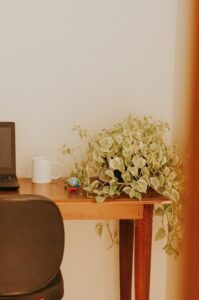
– Plants: Adding greenery improves air quality and creates a calm atmosphere.
– Artwork or Photos: Displaying pictures or inspiring quotes can keep your energy positive.
– Decor: Use soft textiles like rugs or cushions to add warmth and comfort.
Just remember to avoid overcrowding your space so it remains functional.
Optimize Lighting
Good lighting reduces eye strain and supports alertness.
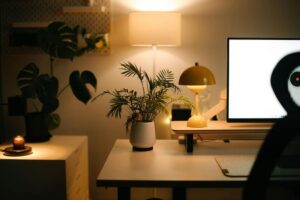
– Desk Lamp: Use an adjustable desk lamp to provide focused light where you need it.
– Ambient Lighting: Combine ceiling lights or floor lamps for overall brightness.
– Avoid Glare: Position your monitor and light sources to prevent glare on your screen.
Trying different lighting setups can help you find the most comfortable balance.
Organize Technology Efficiently
Technology is at the core of most home workspaces, so keep it well-organized.
– Equipment Placement: Arrange your keyboard, mouse, and other devices within easy reach.
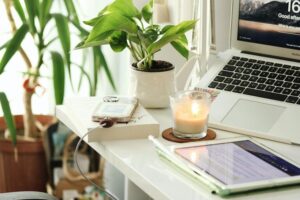
– Charging Station: Create a dedicated spot for charging phones and tablets.
– Backup Tools: Keep spare cables, batteries, or USB drives handy for convenience.
Keeping technology tidy minimizes distractions and technical hiccups.
Maintain a Comfortable Temperature
Temperature plays a significant role in concentration and well-being.
– Ventilation: Ensure your workspace gets fresh air to avoid stuffiness.
– Heating and Cooling: Use fans or heaters to maintain a comfortable temperature year-round.
– Dress Code: Keep comfortable clothes nearby so you can adjust based on how you feel.
A space with ideal temperature settings helps you stay focused longer.
Establish Boundaries
Separating work from personal life encourages balance and better productivity.
– Visual Separation: Use room dividers or curtains if your workspace shares an area with living spaces.
– Scheduled Breaks: Set regular breaks to rest your eyes and move around.
– Clear Start and End: Define working hours even if you’re working from home to maintain routine.
Creating boundaries supports mental clarity and prevents burnout.
Keep Supplies Handy
Having essential supplies within reach saves time and helps you stay organized.
– Basic Supplies: Stock pens, notepads, sticky notes, and other daily items near your desk.
– Snack and Water: Keep a water bottle and light snacks nearby to stay hydrated and energized.
– Backup Materials: Store extra paper, toner, or other workshop materials in an accessible spot.
Preparedness keeps work flow smooth and reduces interruptions.
—
With these tips, you can design a home workspace that is both cozy and highly functional. Tailor your setup to your personal needs, keep it organized, and don’t forget to add little touches that make you happy. A well-planned workspace not only improves productivity but also makes working from home a more enjoyable experience.